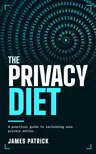
Your phone, your internet use and your home network, in the order that pays off — from a thirty-minute settings audit to GrapheneOS and a Pi-hole.
Free here: the five Quick Wins, the comparison tables and the complete checklist.
Books by James Patrick
The first gets your data out of other people's hands. The second gives it somewhere to go. The third makes sure AI doesn't become the new leak.
Your phone, your internet use and your home network, in the order that pays off — from a thirty-minute settings audit to GrapheneOS and a Pi-hole.
Free here: the five Quick Wins, the comparison tables and the complete checklist.

One server, built properly: hardened Ubuntu, Docker, HTTPS on your own subdomains, then passwords, files, photos, media, search and local AI — with backups, restore drills and monitoring so it survives.
Free here: every code block, ready to copy, and a deeper tutorial for each service.

What happens to everything you tell an AI, how to share less and opt out of training, and how to run AI on your own computer or server — then your own documents, voice and agents.
Free here: every code block, a current robots.txt for AI crawlers and model suggestions.
Leaving Google
The Privacy Diet swaps your browser and search engine. This guide moves everything else — email, calendar, files, photos, passwords and your phone — to ready-made private services, in an order that keeps everything working.
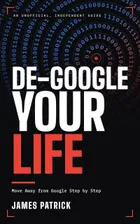
Move Away from Google Step by Step · An unofficial, independent guide
Choose how far to go — a lighter clean-up, most of the way, or no Google account at all. Map what depends on your account, get your data out with Takeout, then move the easy things first and the big ones (email, files, photos, "Sign in with Google") with nothing lost. No server and no command line, with notes for iPhone users along the way.
Free here: the replacement table, kept up to date, and the Takeout checklist, ready to tick off.
Independent: not affiliated with, authorised by, or endorsed by Google LLC.
Going deeper
The Privacy Diet recommends moving your email to an encrypted provider, with Proton Mail as one of its two picks. This guide is for readers who choose Proton and want to go further with it once they've made that switch.
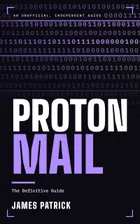
An unofficial, independent guide
What Proton Mail protects and what it doesn't, choosing a plan, and leaving Gmail without losing anything. Then everyday use, aliases and Hide-My-Email, your own domain, Proton Mail Bridge, PGP and hardening your account, finishing with a 30-day plan, a settings checklist and a DNS record template.
Independent: not affiliated with, authorised by, or endorsed by Proton AG.
Going deeper
The same Proton account also holds a password manager, encrypted storage, a calendar and a VPN. This guide is for readers who want to use them properly.
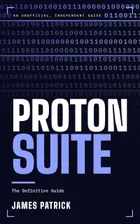
An unofficial, independent guide
What each app protects and what it doesn't, choosing a plan, and moving in from Google, Apple, Microsoft or another password manager. Pass, Authenticator, Drive, Docs and Sheets, Calendar and VPN in depth, a short look at Wallet, Lumo and Meet, then families, a 30-day plan and two checklists.
Independent: not affiliated with, authorised by, or endorsed by Proton AG.